Repository navigation
2 fps for demos on CUDA 12.6 #128

Description

After reading #114, downloading, unzipping and re-initializing (for the 7th time) I still get very low speed.
Live (webcam) demo:
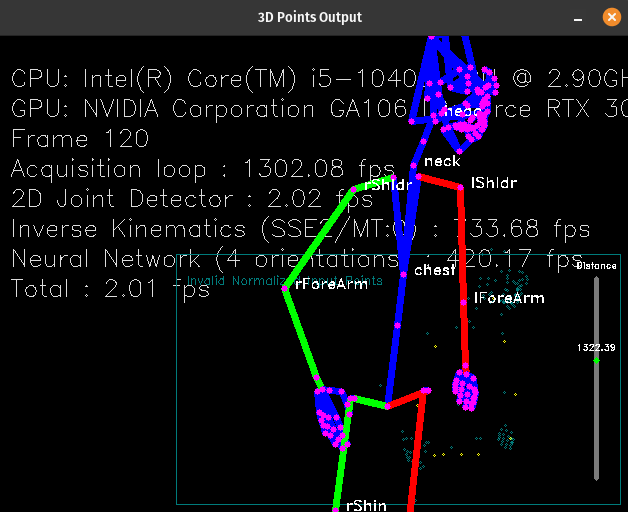
Same on webm file demo:
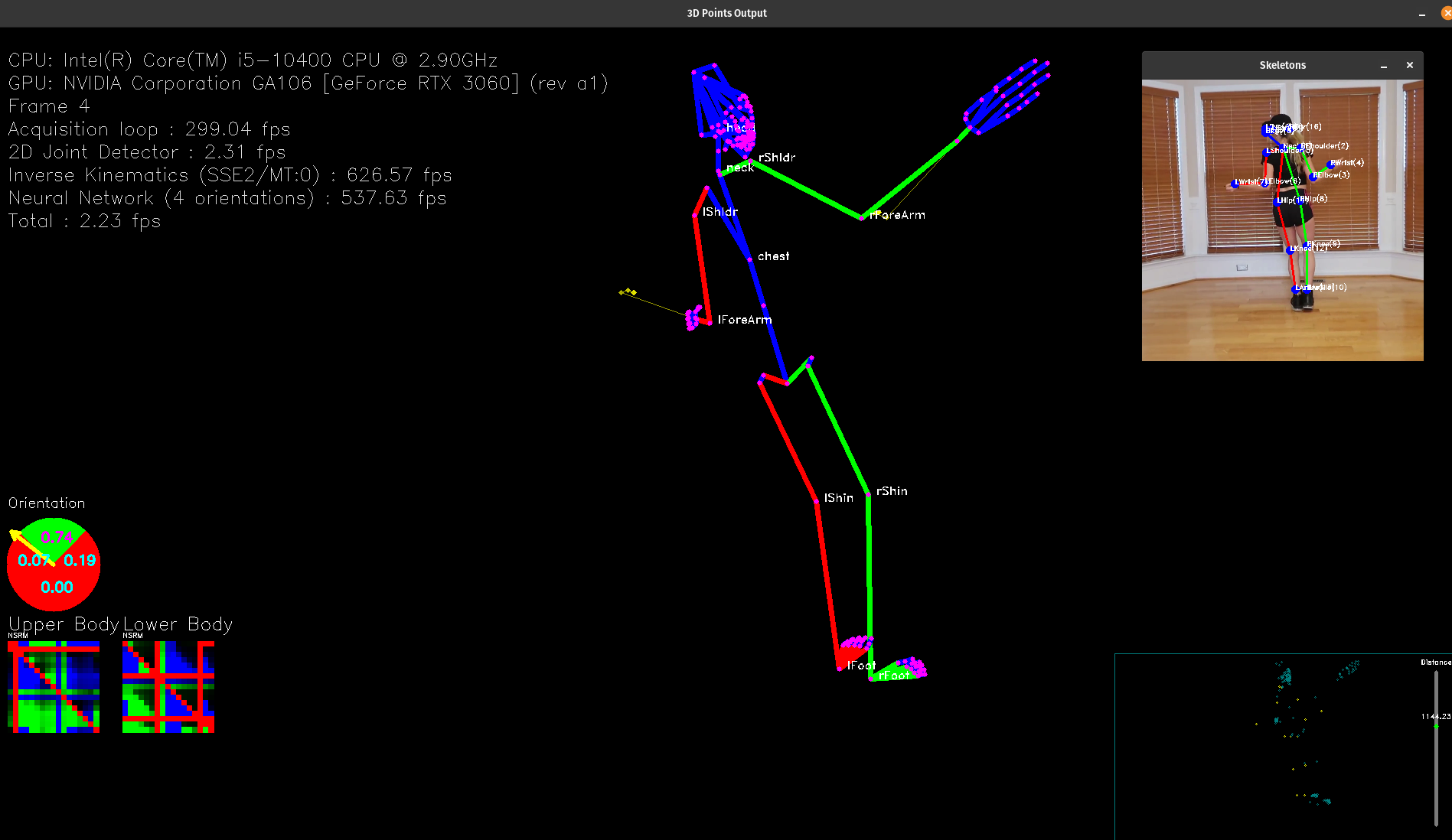
It's the 2D joint detector
I also re-initialized with ENABLE_OPENGL=ON, on Ubuntu 22.04
Initialize logs:
Selected Tensorflow version gpu/2.15.0
Found a local tensorflow installation, not altering anything
RGBDAcquisition appears to already exist ..
Now to try and build MocapNET..
-- The C compiler identification is GNU 11.4.0
-- The CXX compiler identification is GNU 11.4.0
-- Detecting C compiler ABI info
-- Detecting C compiler ABI info - done
-- Check for working C compiler: /usr/bin/cc - skipped
-- Detecting C compile features
-- Detecting C compile features - done
-- Detecting CXX compiler ABI info
-- Detecting CXX compiler ABI info - done
-- Check for working CXX compiler: /usr/bin/c++ - skipped
-- Detecting CXX compile features
-- Detecting CXX compile features - done
SSE2 detected and will be used..
Using locally found libtensorflow v2 C-API
BVH Code found and will be used..
OpenGL support will not be compiled in
-- Could NOT find OpenCV (missing: OpenCV_DIR)
-- Found OpenCV: /usr (found version "4.5.4")
OpenCV code found and will be used..
/usr/lib/x86_64-linux-gnu/cmake/opencv4
-- Configuring done
-- Generating done
-- Build files have been written to: /mnt/phil/MocapNET-master/build
[  0%] Building C object src/GroundTruthGenerator/CMakeFiles/GroundTruthDumper.dir/__/__/dependencies/RGBDAcquisition/opengl_acquisition_shared_library/opengl_depth_and_color_renderer/src/Applications/BVHTester/main.c.o
What should I do to get a better speed? Thank you :)
Activity
[-]2 fps for live demo on CUDA 12[/-][+]2 fps for demos on CUDA 12[/+][-]2 fps for demos on CUDA 12[/-][+]2 fps for demos on CUDA 12.6[/+]j2l commentedon Nov 7, 2024
Updated to mnet4 and TensorFlow 2.18, still the same, 2fps. 😭
j2l commentedon Nov 7, 2024
https://www.tensorflow.org/install/pip
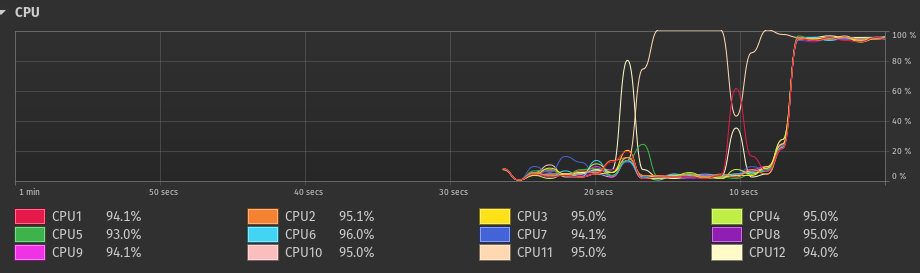
But it seems to work on CPU only:
AmmarkoV commentedon Nov 8, 2024
Dear friend,
saw your youtube comment!
The problem you are experiencing is from either :
MocapNET is a very tiny network and can run on CPU alone fast enough providing 2D joint to BVH output. This is not the case for the network that goes from RGB image to 2D joints that does convolutions which is computationally much heavier and needs a GPGPU accelerator. Your 2fps slow performance is happening because the RGB->2D joints network runs on CPU causing the slow down. In the dependencies/ subdirectory you have a tensorflow version compiled for CPU or compiled for GPU but for another combination of CUDA/CUDNN etc. In fact when GPU acceleration is available what happens is that RGB -> 2D joint estimation runs on GPU while 2D joint to BVH estimation (for the previous frame) is running on CPU.
Now having explained the design and issue, in terms of making sense of versions etc, this is a list of the official "expected" version compatibilities:
https://www.tensorflow.org/install/source#linux
For example tensorflow-2.14.0 expects CUDNN 8.7 and CUDA 11.8
if you use it with CUDA 12.6 or CUDNN 8.6 or whatever other combination it will fallback to CPU!
It should also be noted that you can have multiple versions of CUDA on your system :
You can select which one is 'active'
by exports ( e.g. )
on ~/.bashrc
if I change
export PATH=$PATH:/usr/local/sbin:/usr/local/bin:/usr/sbin:/usr/bin:/sbin:/bin:/usr/local/cuda/bin
export LD_LIBRARY_PATH=$LD_LIBRARY_PATH:/usr/local/cuda/lib64:/usr/local/cuda/extras/CUPTI/lib64:/usr/local/cuda/lib:/usr/local/lib
and replace cuda with cuda-10.0 then tensorflow will be able to be ``linked against this'' in the next builds etc.
If you look at the logs you attached to the tickets :
W0000 00:00:1731007916.405884 179300 gpu_device.cc:2344] Cannot dlopen some GPU libraries. Please make sure the missing libraries mentioned above are installed properly if you would like to use GPU. Follow the guide at https://www.tensorflow.org/install/gpu for how to download and setup the required libraries for your platform.
Skipping registering GPU devices...
So tensorflow is not finding the versions it is expecting and skipping using GPU devices. So unfortunately these problems have to do with versioning and more specifically Tensorflow VS NVIDIA.
To mitigate this problem for mnet4 I overhauled the whole codebase to transition it to python so that it makes it easier using pip to install everything at once at a virtual environment instead of having to compile / download everything manually,
https://github.com/FORTH-ModelBasedTracker/MocapNET/tree/mnet4/src/python/mnet4
maybe if you make a seperate git clone of the mnet 4 and navigate to src/python/mnet4/ using this script
https://github.com/FORTH-ModelBasedTracker/MocapNET/blob/mnet4/src/python/mnet4/setup.sh
you can use the mediapipe live demo :
python3 -m mediapipeHolisticWebcamMocapNET --from webcam --hands --plot
To also have an idea on how the python stuff works I have a Google collab notebook setup
Hope I helped, please note that all of this situation is not a problem of the MocapNET codebase but of its Tensorflow dependency!
j2l commentedon Nov 8, 2024
I'm trying to understand what I did wrong.
Just to be clear, after downloading mnet4, this one is using mnet4, not using Docker from master branch (my other ticket just in case it works). I have 2 MocapNET installs (master and mnet4).
On ment4/, I manually downloaded Tensorflow 2.18 with GPU for python 3.10(.12) (python --version, since it's what python --version throws) from https://www.tensorflow.org/install/pip
source src/python/mnet4/pythonVirtualEnvironment/bin/activatepip install tensorflow-2.18.0-cp310-cp310-manylinux_2_17_x86_64.manylinux2014_x86_64.whlHere's
pip show tensorflowand
If you know a way to show more info, please let me know.
AFAIU, tensorflow sees the GPU.
Could you please make a freeze > requirements.txt when you use Cuda 12, to see what I have wrong?
Just another question related to the error above:
I wonder about openGL in CMakeList.txt:
This directory exists in my setup:

So why does
OpenGL support will not be compiled inis triggered?Could this be the bottleneck?
Here's a full initialize & build log:
j2l commentedon Nov 8, 2024
pip install --upgrade nvidia-cudnn-cu12doesn't work because of torch 2.5.1I wonder if the mismatch is: Cuda 12.6 requires latest packages, but latest Torch is still on 'older' package versions.
AmmarkoV commentedon Nov 11, 2024
OK,
So first of all for MNET1, MNET2, MNET3 there is no python code or bindings and all pip installs etc do nothing. The project is written in C/C++ and the version of tensorflow used is the one in the dependencies subdirectory, the NVIDIA versions etc. used are the ones in /usr/local/cuda . Compatiblity between versions can be found in this official list: https://www.tensorflow.org/install/source#linux
So whatever you do with pip etc will have no effect.
For MNET4 :
So why does OpenGL support will not be compiled in is triggered?
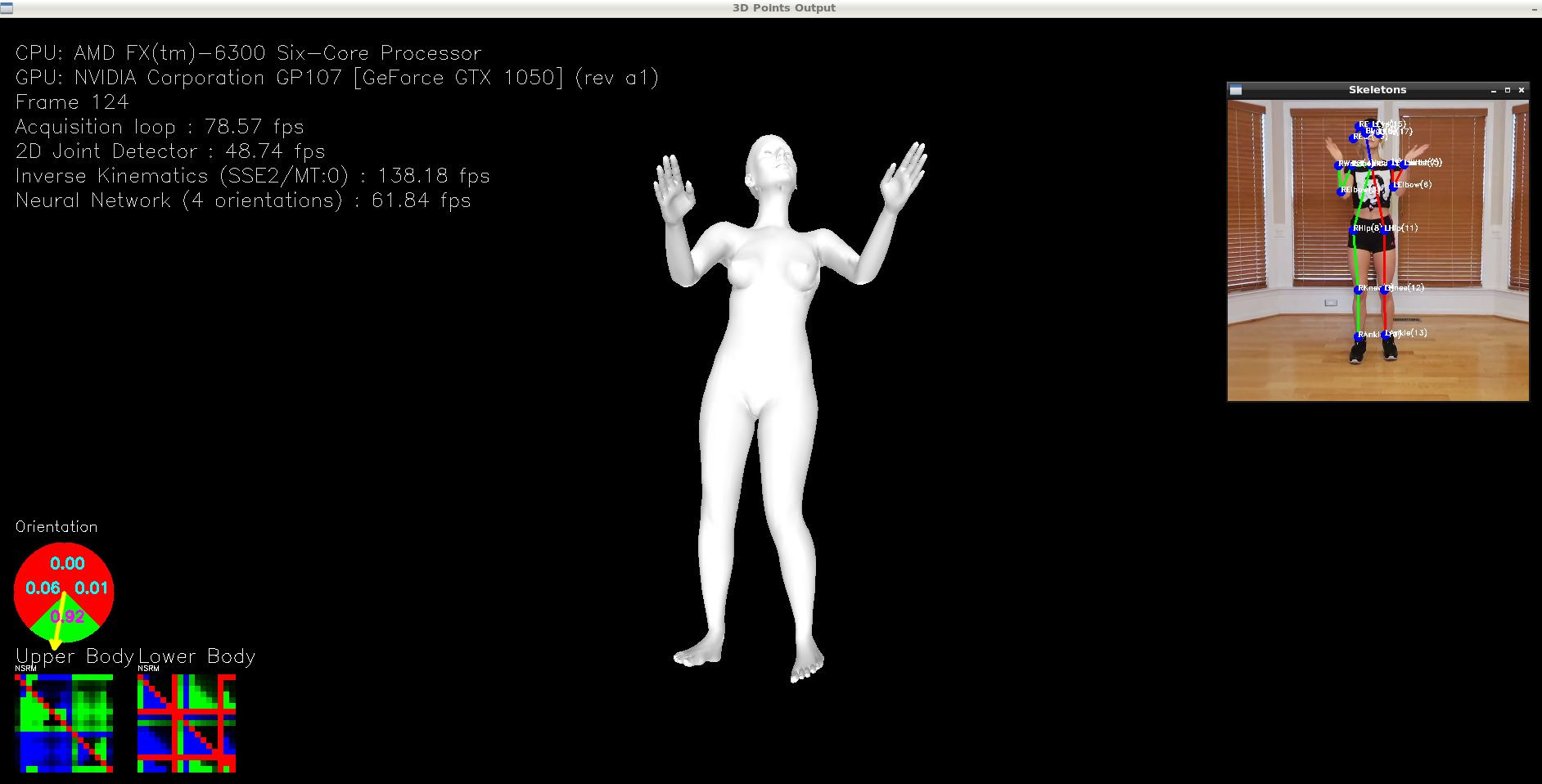
OpenGL is only used to render the 3D model it does not contribute in inference speed so don't worry about it, it has nothing to do with why tensorflow is not using GPU.
As you see from your output tensorflow does not use GPU:
And as you say
This is the classic "dependency hell" problem :(
Unfortunately I can't do something about this. For sure I know you can have multiple CUDA versions on your machine ( see screenshot in my first image ), also for sure using the latest CUDA version is almost never a good idea because of this issue. It is better to use TF 2.14 or 2.16 or something like this and in general an older more compatible combination versions of TF/CUDA/Torch. This has to do with your software stack, your hardware, etc. which unfortunately is out of the scope of this project.
j2l commentedon Nov 12, 2024
Thank you very much @AmmarkoV
I undestand about OpenGL, you're right.
Actually Tesnorflow sees the GPU:
>>> import tensorflow as tf; gpus = tf.config.list_physical_devices('GPU'); print("GPU:",gpus)GPU: [PhysicalDevice(name='/physical_device:GPU:0', device_type='GPU')]while people with this issue get
GPU:[], see https://forums.developer.nvidia.com/t/new-tensorflow-compatible-for-gpu-not-detecting-gpu-cuda-12-6-cudnn-and-environment-variables-issues/303730I totally agree with you about the dependency hell though 😄
According to https://docs.nvidia.com/deeplearning/frameworks/tensorflow-release-notes/rel-24-09.html Tensorflow 2.16.1 is OK for CUDA 12.6 on Ubuntu 22.04. I tried install it initialize, and run again, no luck.
Apparently, there were major changes between driver 555 (cuda 12.5) and 560 (cuda 12.6), I can't simply use Cuda 12.5 with driver 560.
Does the docker build process has been tested with mnet4? I mean with tensorflow:latest-gpu pushed 18 days ago?
AmmarkoV commentedon Nov 12, 2024
No I haven't tested it, supposedly the docker tensorflow "should" have what it needs, however again you need to have setup the specific NVIDIA-enabled docker https://developer.nvidia.com/blog/nvidia-docker-gpu-server-application-deployment-made-easy/
My machine has
Ubuntu 22.04.5 LTS
Tensorflow version : 2.16.1
Keras version : 3.1.1
Numpy version : 1.23.5
TF/CUDA version : 12.3
TF/CUDNN version : 8
with an NVIDIA RTX 4080 Super
and tensorflow works with GPU acceleration if that helps